


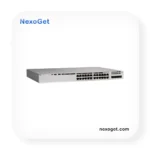
Cisco C9200L-24T-4X-E Switch
- Model: C9200L-24T-4X-E
- Ports: 24 × Gigabit Ethernet
- Uplinks: 4 × 1/10G
- PoE: No
- License: Network Essentials
5.750,00
1 in stock
1 in stock
Cisco Catalyst C9200L-24T-4X-E Switch – 24-Port Gigabit Managed Network Switch
Watch Product Video Cisco C9200L-24T-4X-E Switch
Download PDF Datasheet|Cisco C9200L-24T-4X-E Switch
The Cisco Catalyst C9200L-24T-4X-E Switch is an enterprise-class, Layer 2 and Layer 3 capable network access switch designed for organizations that need dependable wired connectivity, high-speed uplinks, centralized network management, and a scalable switching infrastructure. As part of the Cisco Catalyst 9200L Series, this model combines 24 Gigabit Ethernet data ports with four fixed 1/10 Gigabit Ethernet uplinks, making it suitable for connecting computers, servers, printers, access points, network appliances, and other Ethernet-enabled devices.
Identified by product number C9200L-24T-4X-E, this configuration is designed for environments that require standard Ethernet data connectivity rather than Power over Ethernet (PoE). Its 10/100/1000 Mbps access ports support common enterprise endpoint connections, while its four high-speed uplinks provide flexible options for connecting to distribution switches, aggregation layers, or compatible network infrastructure. The “E” designation identifies the Network Essentials software license level for this product configuration.
For businesses planning a new network or upgrading an existing installation, the Cisco Catalyst C9200L-24T-4X-E offers a practical balance of port density, uplink capacity, management capabilities, and enterprise networking features. It can be considered for office networks, departmental access layers, educational institutions, retail environments, branch offices, and other deployments where reliable wired switching is essential.
Product Overview: What Makes the C9200L-24T-4X-E Different?
The Cisco Catalyst 9200L family is designed to provide enterprise switching capabilities in a fixed-uplink platform. Unlike models with modular uplink slots, the C9200L-24T-4X-E includes four built-in uplink interfaces. This configuration simplifies hardware selection and allows network planners to choose a switch with the uplink options they need from the beginning.
The switch provides 24 Gigabit Ethernet data ports for wired devices. These ports are suitable for standard Ethernet endpoints and do not provide PoE power. Organizations that need to power compatible IP phones, wireless access points, or other powered devices directly through Ethernet should evaluate a PoE model such as the Cisco C9200L-24P-4X-E.
The four fixed 1/10G uplinks help connect the access layer to faster upstream network equipment. Depending on the supported transceiver, cable, and connected device, these uplinks can operate at supported 1 Gigabit or 10 Gigabit speeds. This makes the model a useful option for networks that need Gigabit connectivity at the edge and higher-bandwidth connections toward the network core.
Key Product Highlights
- 24 Gigabit Ethernet data ports: Connect workstations, printers, servers, and other standard Ethernet devices.
- Four fixed 1/10G uplinks: Provide high-speed connectivity to compatible upstream network devices.
- Network Essentials license: Identifies the software license level associated with the -E product SKU.
- Enterprise switching platform: Designed for managed business and campus access networks.
- Fixed-uplink architecture: Offers a predefined uplink configuration without requiring a separate uplink module.
- StackWise support: C9200L models support stacking with a published stacking bandwidth of up to 80 Gbps, subject to platform and configuration requirements.
- Cisco IOS XE: Uses Cisco’s network operating system for supported switching, configuration, monitoring, and security capabilities.
Technical Specifications of Cisco C9200L-24T-4X-E
The following table summarizes the principal hardware characteristics of the Cisco Catalyst C9200L-24T-4X-E. Exact capabilities can depend on the software release, licensing, transceiver selection, and deployment configuration. Confirm the final bill of materials before ordering.
| Specification | Details |
|---|---|
| Manufacturer | Cisco |
| Product family | Cisco Catalyst 9200L Series |
| Model / SKU | C9200L-24T-4X-E |
| Switch type | Managed enterprise Ethernet switch |
| Access ports | 24 x 10/100/1000BASE-T Gigabit Ethernet data ports |
| PoE support | No PoE on the 24T model |
| Uplink interfaces | 4 x fixed 1/10 Gigabit Ethernet uplinks |
| Uplink architecture | Fixed; no modular uplink slot |
| Software license designation | Network Essentials (-E) |
| Network operating system | Cisco IOS XE |
| Switching capacity | Up to 128 Gbps, as specified for the model |
| Forwarding rate | Up to 95.23 Mpps, as specified for the model |
| Stacking bandwidth | Up to 80 Gbps for the C9200L platform |
| Power supply configuration | Default primary power supply listed as PWR-C5-125WAC; verify the included PSU and regional power requirements |
| Chassis dimensions | Approximately 4.4 x 44.5 x 28.8 cm (H x W x D), excluding the additional front-end projection noted in Cisco documentation |
| Rack installation | 1U rack-mount form factor |
Important: The C9200L-24T-4X-E is a data-only model. Its Ethernet access ports should not be treated as PoE ports. If your project requires power delivery over Ethernet, compare the specifications of a suitable PoE model before purchasing.
High-Speed Uplinks for Modern Enterprise Networks
Uplink capacity is an important consideration when selecting an access switch. As organizations add cloud applications, collaboration tools, centralized storage, video traffic, and more connected devices, the links between access and distribution layers can become an important part of network performance.
The C9200L-24T-4X-E includes four fixed uplinks supporting 1 Gigabit or 10 Gigabit Ethernet operation with compatible components. Network teams can use supported uplink configurations to connect the switch to an aggregation switch, a core switch, or another suitable network device. The actual connection speed depends on the selected optics or cable, the port configuration, and compatibility at both ends.
Planning Uplink Connectivity
- Confirm that the transceiver or cable supports the intended distance and connection type.
- Check compatibility with the switch software release and the connected device.
- Plan uplink capacity around the expected number of users, applications, and traffic patterns.
- Determine whether link redundancy or multiple uplinks are required for your network design.
For larger deployments, compare this 24-port model with the Cisco C9200L-48T-4X-E, which provides 48 data ports and the same general fixed 1/10G uplink class. Organizations evaluating other enterprise access platforms can also explore the Cisco C9300X-12Y-E and Cisco C9300X-24Y-E product pages.
Network Essentials and Network Management
The “-E” suffix in C9200L-24T-4X-E identifies the Network Essentials license level. Licensing is important because available features can vary between Network Essentials and Network Advantage, as well as by software release and deployment design. Before implementing advanced routing, segmentation, automation, or other specific functions, verify the feature matrix applicable to the exact product and license.
The Catalyst 9200L platform runs Cisco IOS XE and supports managed network operation. Network administrators can use supported command-line configuration and monitoring workflows, and can evaluate compatible management platforms according to their organization’s software, licensing, and operational requirements.
Practical Management Considerations
For a business network, management planning should include configuration backups, software maintenance, access control, monitoring, and documented change procedures. A consistent configuration approach can simplify troubleshooting when several switches are deployed across offices or departments.
For background on switching concepts and product selection, read our guide What Is a Cisco Switch?. You can also browse the wider NexoGet shop to review other networking products and compare options for your infrastructure.
Typical Applications and Deployment Scenarios
Business Offices and Department Networks
The 24 Gigabit Ethernet data ports make the C9200L-24T-4X-E suitable for connecting desktop computers, printers, workstations, and other wired office devices. The four 1/10G uplinks provide options for connecting the access switch to the wider business network. This configuration is especially relevant when endpoint power is supplied separately rather than through PoE.
Education and Campus Environments
Schools, colleges, training facilities, and campus departments may use managed access switches to connect laboratories, administrative offices, computer rooms, and shared work areas. The appropriate number of switches depends on endpoint density, cable distances, uplink design, redundancy requirements, and the capacity of the existing network.
Retail, Warehousing, and Branch Offices
Retail locations and branch offices often require dependable connectivity for point-of-sale workstations, printers, back-office systems, and other networked equipment. The C9200L-24T-4X-E can serve as an access-layer switch where 24 data ports are sufficient and connected devices do not require power from the switch. Always check the power requirements of individual endpoints before selecting a data-only model.
Network Refresh and Infrastructure Expansion
Organizations upgrading from older access switches can assess the C9200L-24T-4X-E as part of a broader refresh strategy. Before replacing equipment, document VLANs, IP addressing, uplink connections, authentication, monitoring, and any platform-specific configuration. Validate interoperability and feature requirements before moving production traffic.
Cisco C9200L-24T-4X-E Compared with Similar Switches
The best alternative depends on the number of connected devices, the need for PoE, uplink requirements, and the selected license. The following comparison highlights several related models to help narrow the selection.
| Model | Access Ports | PoE | Uplinks | License / Positioning |
|---|---|---|---|---|
| C9200L-24T-4X-E | 24 Gigabit data ports | No | 4 x 1/10G fixed | Network Essentials; 24-port data model |
| C9200L-24T-4G-E | 24 Gigabit data ports | No | 4 x 1G fixed | Network Essentials; lower-speed uplink option |
| C9200L-24P-4X-E | 24 Gigabit ports | PoE+ | 4 x 1/10G fixed | Network Essentials; for supported powered endpoints |
| C9200L-48T-4X-E | 48 Gigabit data ports | No | 4 x 1/10G fixed | Network Essentials; higher port density |
| C9200L-24T-4G-A | 24 Gigabit data ports | No | 4 x 1G fixed | Network Advantage license variant |
| C9200-24T-E | 24 Gigabit data ports | No | Modular uplink options | Catalyst 9200 platform; different hardware architecture |
Which Model Should You Choose?
Choose the C9200L-24T-4X-E when you need 24 Gigabit data ports, four 1/10G fixed uplinks, and the Network Essentials license level. Consider a 1G-uplink model if your upstream infrastructure and bandwidth requirements do not call for 10G links. Choose a PoE model if compatible endpoints need power through Ethernet, or a 48-port data model if your rack, cabling, and endpoint plan require more access ports.
If modular uplink flexibility is a key requirement, compare the standard Catalyst 9200 family rather than assuming the fixed-uplink C9200L platform supports interchangeable uplink modules. For additional alternatives, review the Cisco C9200-24P-E, Cisco C9200-48T-E, and Cisco C9200-48P-E.
Related Cisco Switching Products at NexoGet
Choosing the right switch is easier when you compare port count, uplink speed, PoE requirements, license level, and the intended role within your network. The following related product pages can help you evaluate different access and higher-capacity switching options.
- Cisco C9200L-24P-4G-E – 24-port PoE+ model with 1G fixed uplinks.
- Cisco C9200L-48P-4G-E – 48-port PoE+ model with 1G fixed uplinks.
- Cisco C9200L-48P-4X-E – 48-port PoE+ configuration with 1/10G fixed uplinks.
- Cisco C9200L-24T-4G-E – data-only option with 1G uplinks.
- Cisco C9200L-24T-4X-E – this product page for the 24-port data switch with 1/10G uplinks.
- Cisco C9200L-24T-4G-A – alternative license configuration.
- Cisco C1300-24P-4G – another switching option to assess for smaller network requirements.
- Cisco C1300-48P-4G – a 48-port PoE product for comparison.
- Cisco C1300X-48P-4X – an alternative 48-port PoE switching platform.
- Cisco C9300-24S-E – a different Catalyst family configuration for evaluating network design needs.
- Cisco C9500-48Y4C-E – a higher-tier platform to evaluate for aggregation or core roles, subject to design requirements.
These products serve different requirements, and their capabilities should not be assumed to be interchangeable. Review the individual technical specifications and license details before selecting equipment for a production environment.
Installation and Deployment Considerations
Before installing the Cisco Catalyst C9200L-24T-4X-E, confirm rack space, electrical supply, airflow clearance, grounding, and the environmental conditions specified by Cisco. Ensure that the rack and cable management arrangement leave enough room for power and network connections. Use compatible optical transceivers or cables for the intended uplink type and distance.
Pre-Deployment Checklist
- Confirm the exact SKU and included accessories.
- Verify the power supply and regional electrical requirements.
- Document VLANs, management addressing, uplinks, and redundancy plans.
- Check software licensing and feature requirements.
- Verify that endpoints do not require PoE from the switch.
- Confirm transceiver compatibility and link speed at both ends.
- Plan software updates, configuration backups, monitoring, and access controls.
For help with product selection, visit the About NexoGet page or contact the team through Contact Us. You can also review Customer Services for additional information about the purchasing process.
Frequently Asked Questions
How many ports does the Cisco C9200L-24T-4X-E have?
The switch has 24 10/100/1000BASE-T Gigabit Ethernet data ports and four fixed uplinks supporting 1/10 Gigabit Ethernet, subject to compatible components and configuration.
Does the C9200L-24T-4X-E support PoE?
No. The “24T” model is a data-only configuration. For compatible devices that require power through Ethernet, consider a PoE model such as the C9200L-24P-4X-E.
What does the “-E” suffix mean?
The “-E” suffix identifies the Network Essentials license level for this product SKU. Always confirm the license and supported features required for your intended deployment.
Can the four uplinks operate at 10 Gigabit Ethernet?
The fixed uplinks support 1/10G operation with compatible transceivers or cables and supported configurations. Confirm component compatibility and the intended connection distance before ordering.
Is the C9200L-24T-4X-E suitable for an enterprise network?
It is designed for managed enterprise access networking. Suitability for a specific environment depends on endpoint count, application traffic, resilience requirements, licensing, and the wider network design.
How does it compare with the C9200L-24T-4G-E?
Both are 24-port data-only models. The key uplink distinction is that the C9200L-24T-4X-E supports four fixed 1/10G uplinks, while the C9200L-24T-4G-E uses four fixed 1G uplinks. Select according to the required upstream bandwidth and compatible infrastructure.
Does the switch support stacking?
The Catalyst 9200L platform supports StackWise stacking with up to 80 Gbps stacking bandwidth. Stacking requires compatible models, software, licensing, and configuration; check Cisco documentation before combining devices.
Where can I find more Cisco networking products?
Browse the NexoGet shop for additional networking products, or visit the NexoGet blog for more networking-related information.
Why Consider the Cisco Catalyst C9200L-24T-4X-E?
The Cisco Catalyst C9200L-24T-4X-E is a practical option for organizations looking for a managed 24-port Gigabit data switch with four fixed 1/10G uplinks and Network Essentials licensing. Its data-only access configuration suits environments where connected devices obtain power separately, while its high-speed uplinks support connectivity to compatible distribution and aggregation infrastructure.
When comparing this model with other Cisco switches, focus on the requirements that directly affect your deployment: port density, PoE needs, uplink speed, software license, stacking plans, and compatibility with existing equipment. These factors provide a stronger basis for selection than model names alone.
Explore related products at NexoGet, review our Cisco switch guide, or contact our team through the contact page if you need help identifying a suitable configuration for your project.
Technical Reference
For authoritative specifications, consult the official Cisco Catalyst 9200 Series Data Sheet and verify the exact SKU, software release, supported transceivers, and licensing requirements before purchase or deployment.
| Weight | 7 kg |
|---|---|
| Dimensions | 60 × 51 × 18 cm |
| Brand |
Cisco |
| Capacity |
Virtual networks: 1 ¦ IPv4 routes: 11000 ¦ IPv4 routing table entries: 3000 ¦ IPv6 routing table entries: 1500 ¦ Multicast scale: 1000 ¦ ACL scale entries: 1500 ¦ FNF entries: 16000 ¦ VLANs supported: 1024 ¦ Switched virtual interfaces (SVIs): 512 ¦ QoS h |
| Management Type |
Fully Managed (Layer 2) |
| Compliant Standards |
CISPR 22 Class A, CISPR 24, EN 61000-3-2, EN 61000-3-3, EN55024, EN 61000-6-1, AS/NZS 60950-1, CCC, ICES-003 Class A, UL 60950-1, IEC 60950-1, EN 60950-1, RoHS, AS/NZS 3548 Class A, BSMI Class A, VCCI Class A, CNS 13438, EN 55022 Class A, FCC CFR47 Part 1 |
| Depth |
4.4 cm |
| Device Type |
Switch – 24 ports – L3 – stackable |
| Enclosure Type |
Rack-mountable |
| Features |
Quality of Service (QoS), Cisco StackWise Technology, Rapid Per-VLAN Spanning Tree Plus (PVRST+), Shaped Round Robin (SRR), PXE support, Remote Switch Port Analyzer (RSPAN), NetFlow, Energy Efficient Ethernet, Management Information Base (MIB), Class of S |
| Flash Memory |
4 GB |
| Height |
28.8 cm |
| Humidity Range Operating |
5 – 90% (non-condensing) |
| Humidity Range Storage |
5 – 90% (non-condensing) |
| Important product information |
The DNA licence is not included in the scope of delivery and must be ordered separately. Please contact your sales manager. |
| Interfaces |
24 x 1000Base-T RJ-45 ¦ 4 x 10GBase-X SFP+ uplink ¦ 1 x network stack device ¦ 1 x management (LAN) RJ-45 ¦ 1 x console RJ-45 |
| Jumbo Frame Support |
9198 bytes |
| MAC Address Table Size |
16000 entries |
| MTBF |
525,990 hours |
| Manufacturer |
Cisco Meraki |
| Max Storage Temperature |
70 °C |
| Max Supported Qty |
2 |
| Min Storage Temperature |
-40 °C |
| Performance |
80 Gbps ¦ Switching capacity: 128 Gbps ¦ Forwarding rate: 190.4 Mpps |
| PoE Capability |
NoN PoE |
| Ports |
24 x 10/100/1000 + 4 x 10 Gigabit SFP+ (uplink) |
| Port Count |
24 port |
| Power Device |
Internal power supply – hot-plug |
| Power Redundancy |
Optional |
| RAM |
2 GB |
| Remote Management Protocol |
SNMP 1, RMON 1, RMON 2, SNMP 3, SNMP 2c, CLI, NETCONF, RESTCONF |
| Routing Protocol |
OSPF, RIP-1, RIP-2, EIGRP, VRRP, PIM-SM, EIGRP for IPv6, PIM-SSM, policy-based routing (PBR), RIPng, MSTP |
| Subtype |
Gigabit Ethernet |
| Version |
original |
| Voltage Required |
AC 100-240 V (50 – 60 Hz) |
| Weight |
5 kg |
| Width |
44.5 cm |
| Model |
C9200L-24T-4X-E |
| Product Type |
Managed Switch |
| Series |
Catalyst 9200L |
| Total Ports |
24 |
| Ethernet Port Speed |
10/100/1000 Mbps |
| Uplink Ports |
4 x 1/10G |
| Uplink Type |
Fixed |
| PoE Support |
No |
| License |
Network Essentials |
| Operating System |
Cisco IOS XE |
| Switching Capacity |
128 Gbps |
| Forwarding Rate |
95.23 Mpps |
| Stacking Bandwidth |
80 Gbps |
| Rack Units |
1U |


Sepideh karami –
Please share your experience, feedback, and suggestions with us. Your review helps us improve our products and services and helps other customers make informed decisions.